Simplifying Multipliers for the NM4-I

TL;DR
We're streamlining the way we display multiplier information for the NM4-I in our web portal.
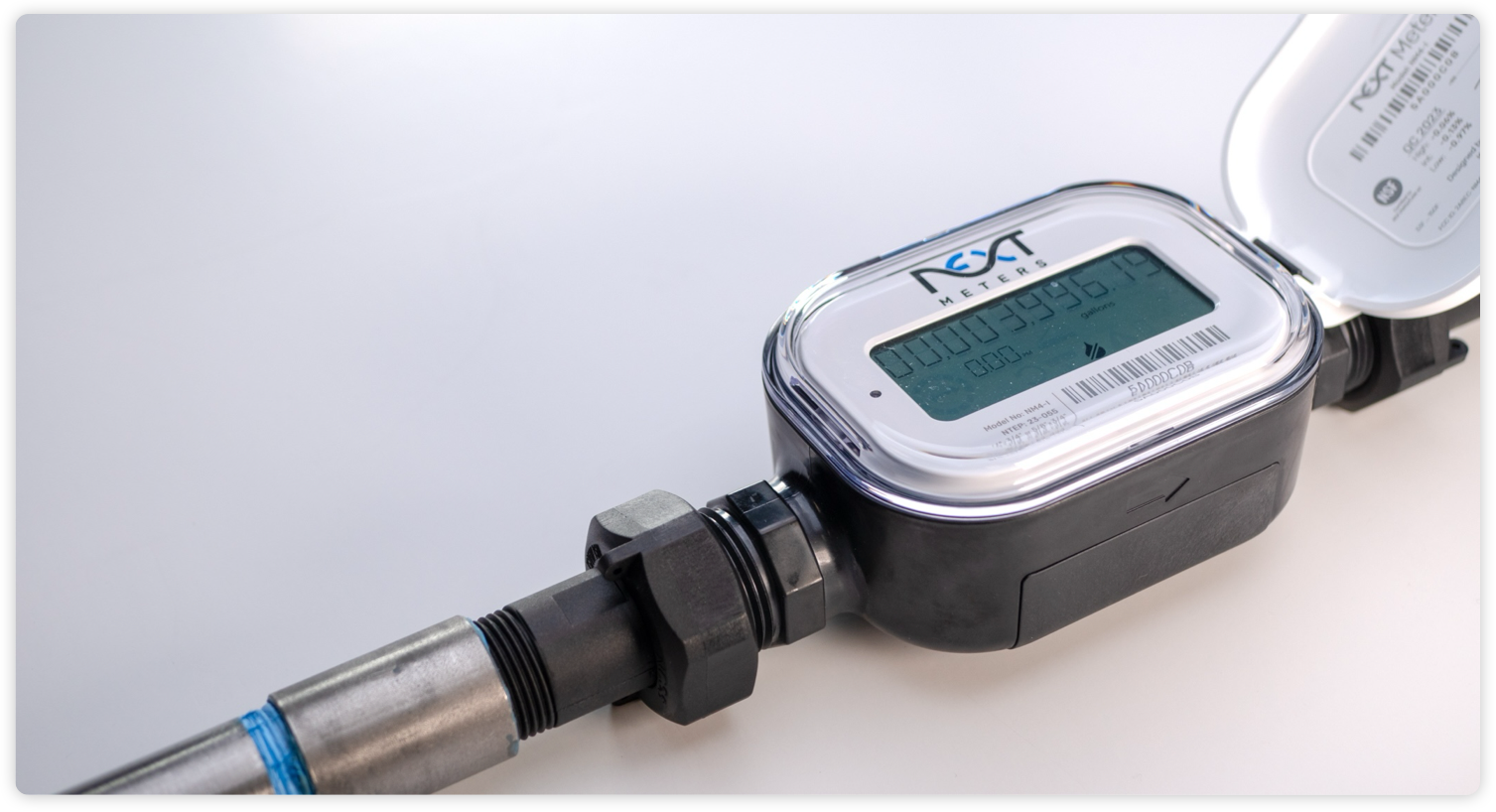
One of the best features of the NextMeter Indoor (NM4-I) is TrueRead technology, enabling it to display a highly accurate read without needing to use a multiplier. When you view the meter face, the read you see represents the total usage without any guesswork. This same precise information can be viewed in our web portal.
We've worked hard to make sure the NM4-I is seamlessly compatible with every setup, which is why we've enabled it to do pulse output. When this feature is used, the meter is still measuring flow with the same level of accuracy, it just gives a pulse once every ten gallons.
To make it clear which NM4-I meters were using pulse output, we previously showed a 10x multiplier for those installations in our web portal instead of the default 1x multiplier. However, this accommodation sometimes caused unintentional confusion for customers using custom reports or our API.
What's Changing
To address this, we're simplifying the way multipliers are displayed for NM4-I meters. You'll now see a 1x multiplier for all NM4-I meters regardless of whether the pulse output feature is being utilized or not.
In situations where pulse output is being used, you can now enable the new "Pulse Out Multiplier" field in Reports. This field shows the 10x multiplier inherent to that form of usage reporting.
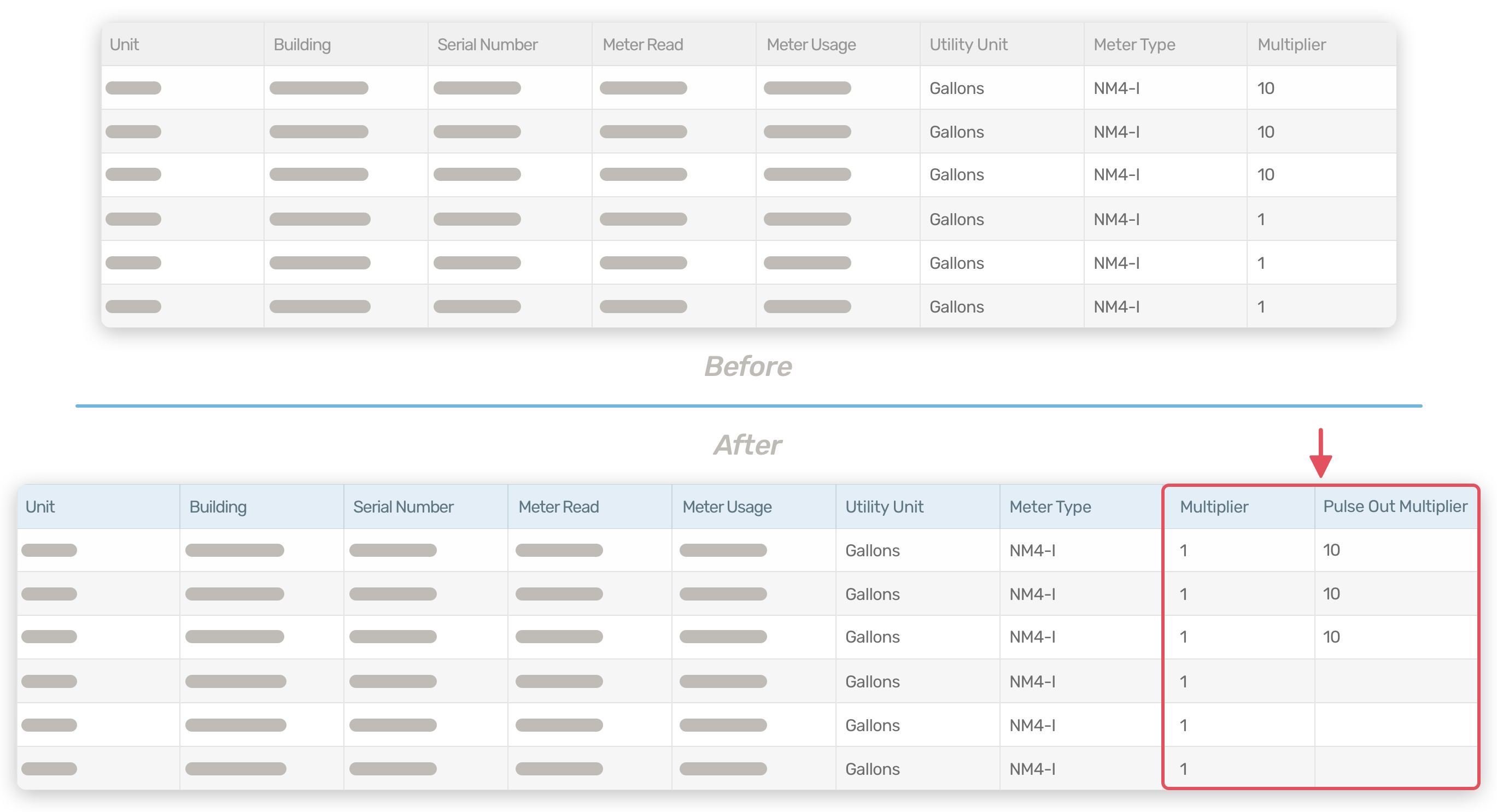
You’ll now see the Pulse Out Multiplier in the meter details page.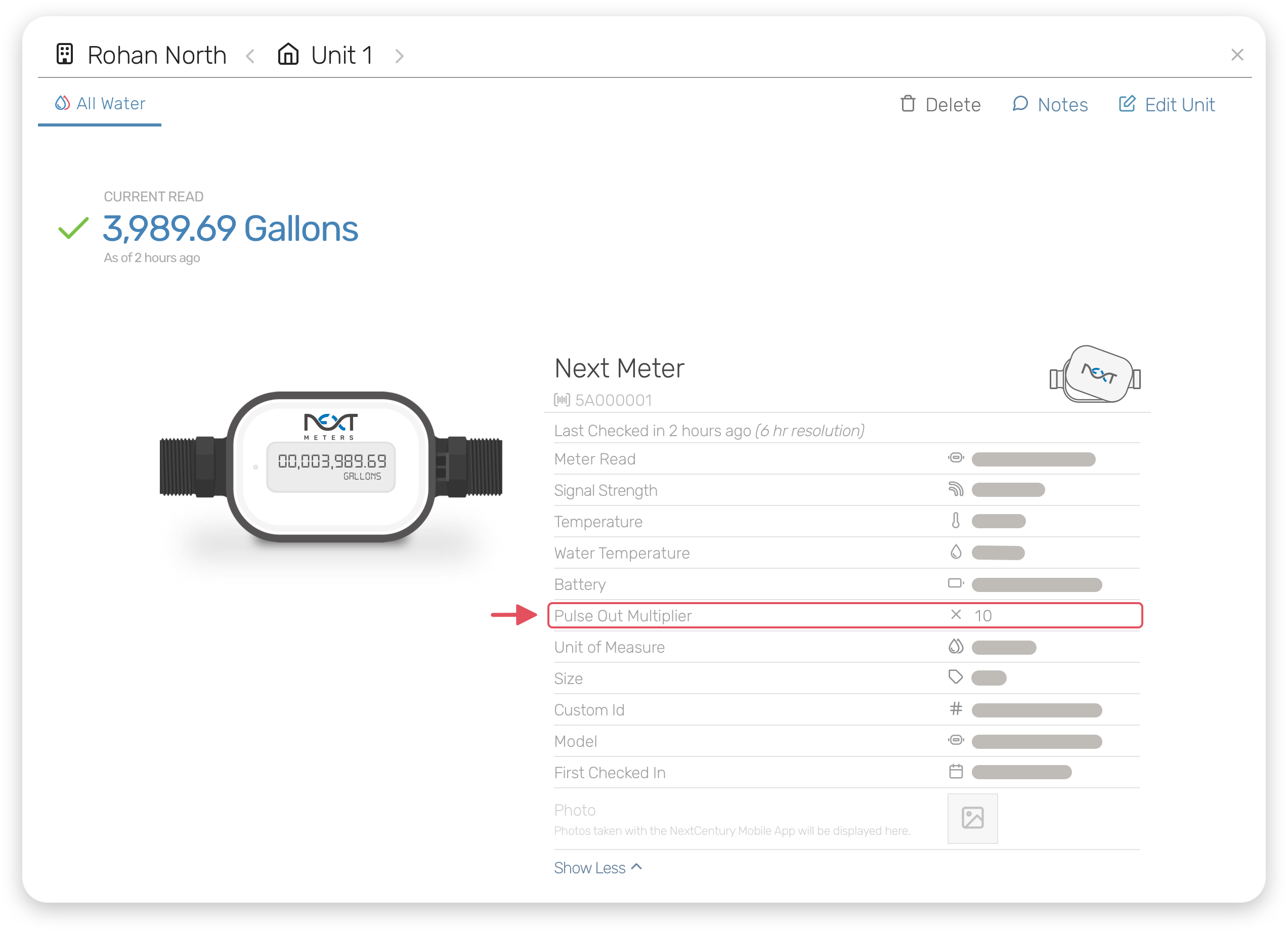
We’ve also cleaned up the Meter Type field you see when adding or editing a meter to make that experience smoother.
What's Not Changing
Most customers won’t notice a difference. There will be no changes to the meter read or usage information, even if you use pulse output. This change only applies to the way our web portal displays the multiplier information; nothing about your meter will change.
What You Need to Do
You only need to take action if you use the multiplier field from custom reports or our API to calculate meter read information and you have at least one NM4-I using pulse output. In that case, you will need to use the Pulse Out Multiplier field instead of the Multiplier field. If you use our calculated meter read, no change is necessary.
More Information
For more information, please contact us.